
Know how much your purchase prices are rising
Qubi compares price history, orders and goods received to highlight increases, unexpected differences and items that are eating into your margin. You find out when there is still time to act, not at the end of the month.
What you can keep an eye on
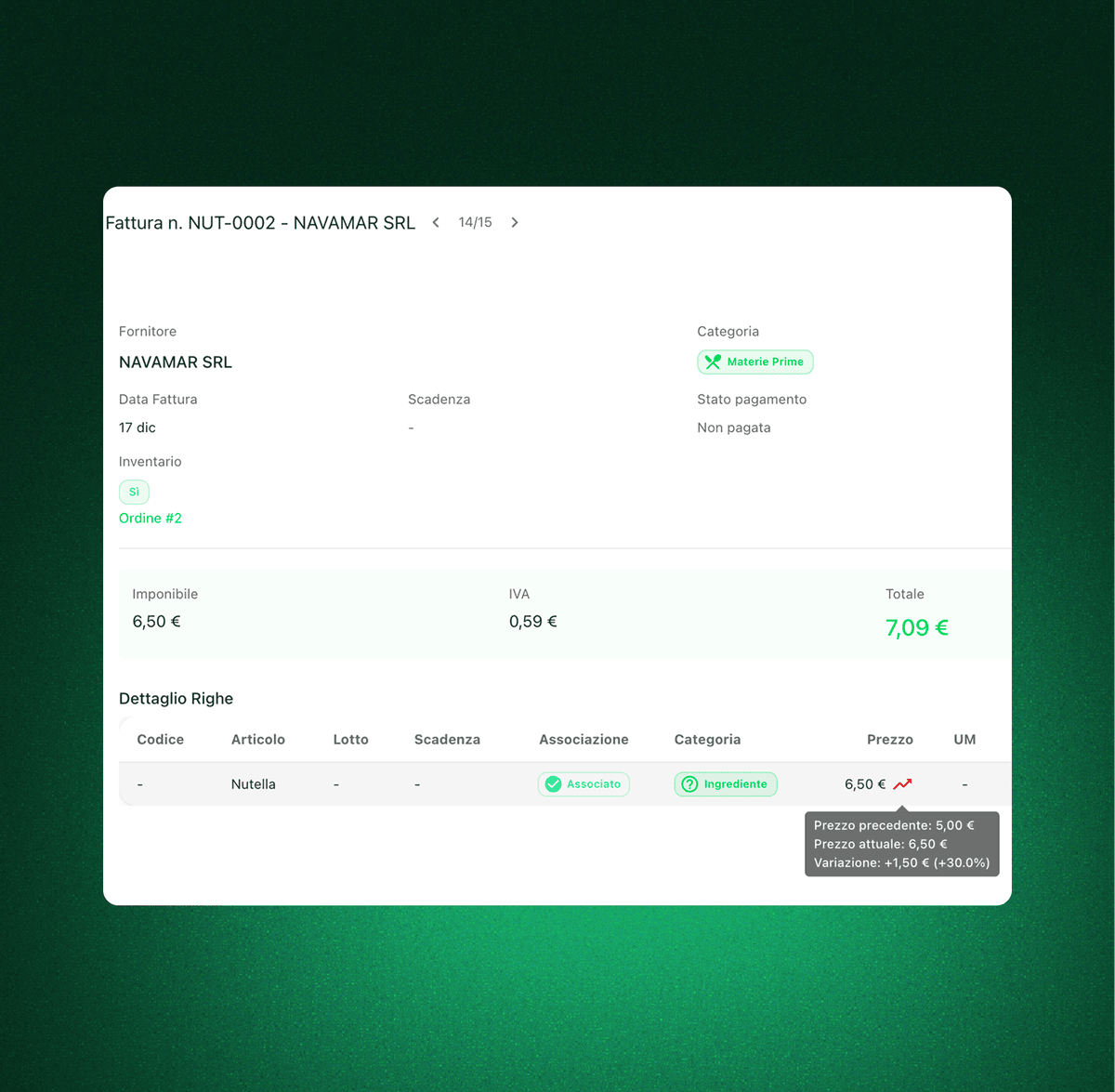
Rising prices, immediately visible
Find the items that are creeping up in cost without reading through invoices, PDFs and email threads one by one.
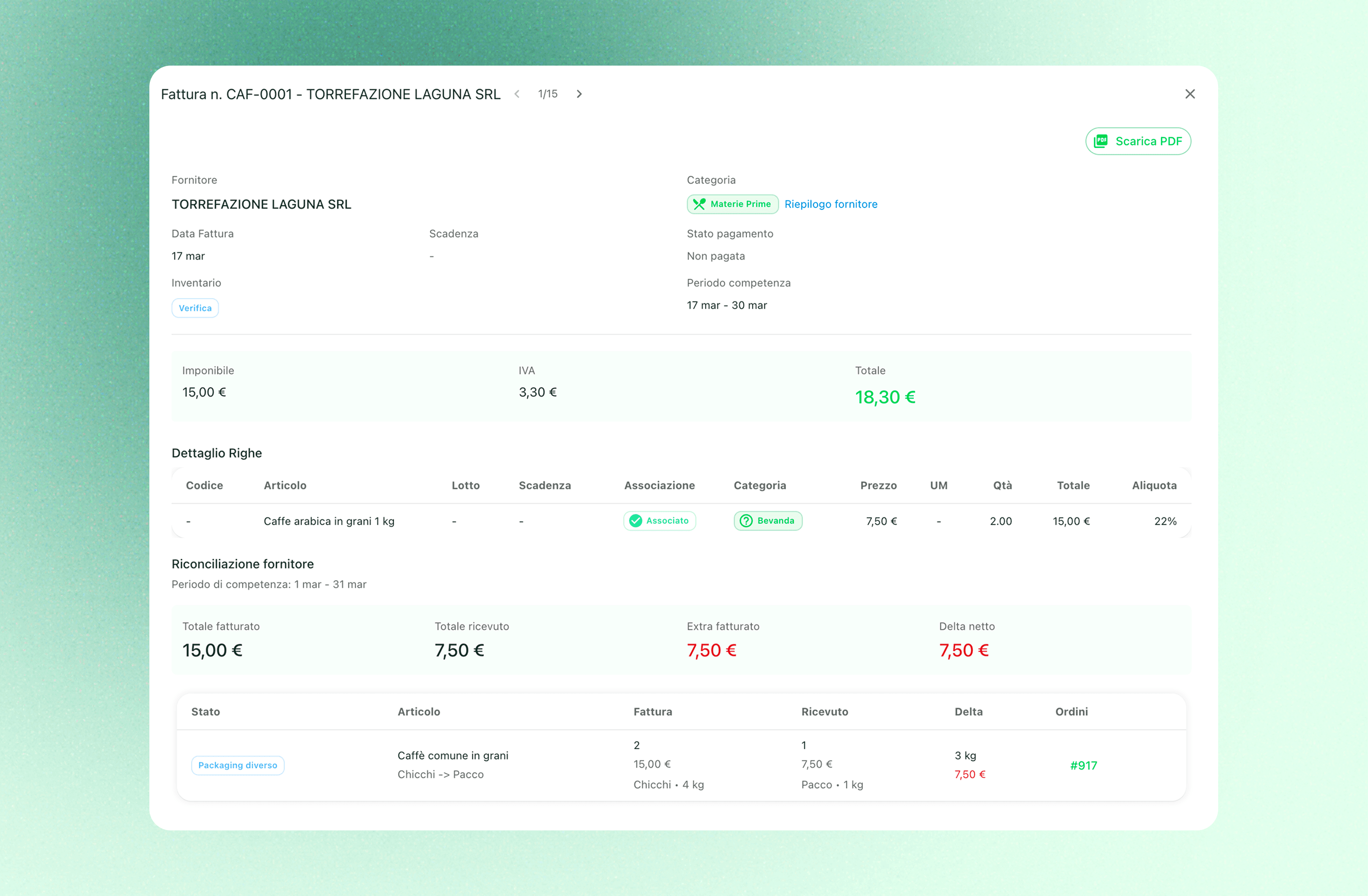
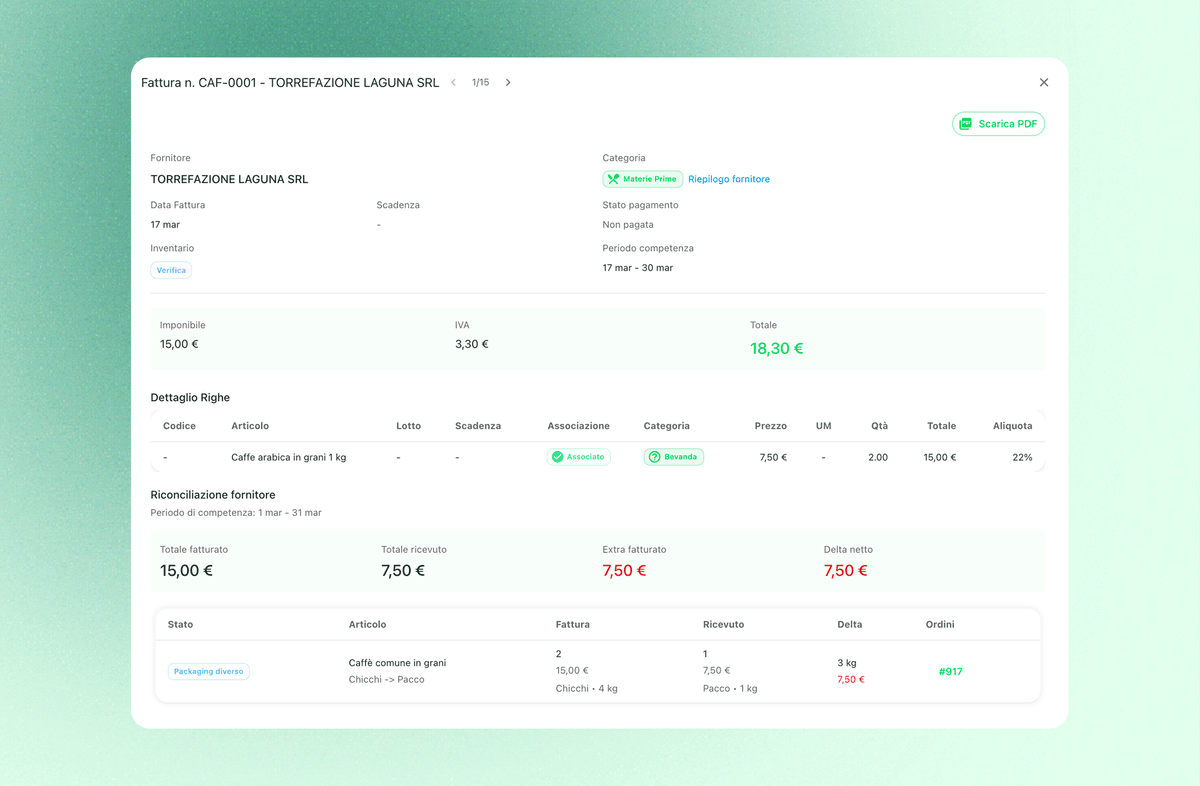
Expected versus received
See when the price you were actually charged drifts away from the one you agreed at order time or from what you usually pay.
Price history per item and vendor
Understand whether an increase is a one-off, a steady climb or part of a wider trend that is already showing up in your costs.
Real impact on margin
Increases become readable in terms of what they actually do to your purchasing, your food cost and the decisions you need to make.
Compare vendors on the same item
Work out whether the rise is across the board or whether a steadier, cheaper alternative is available and worth switching to now.
Tighter control over what you pay
The team sees clearly where the real price is moving away from the buying habits your business has settled into.
When a price goes up, you know before it becomes a problem
The hard part is not noticing that an item costs more. It is noticing in time, with enough context to judge it. Qubi makes increases obvious and helps you separate normal movement from anomalies that deserve a phone call.
Put history, orders and deliveries in the same picture
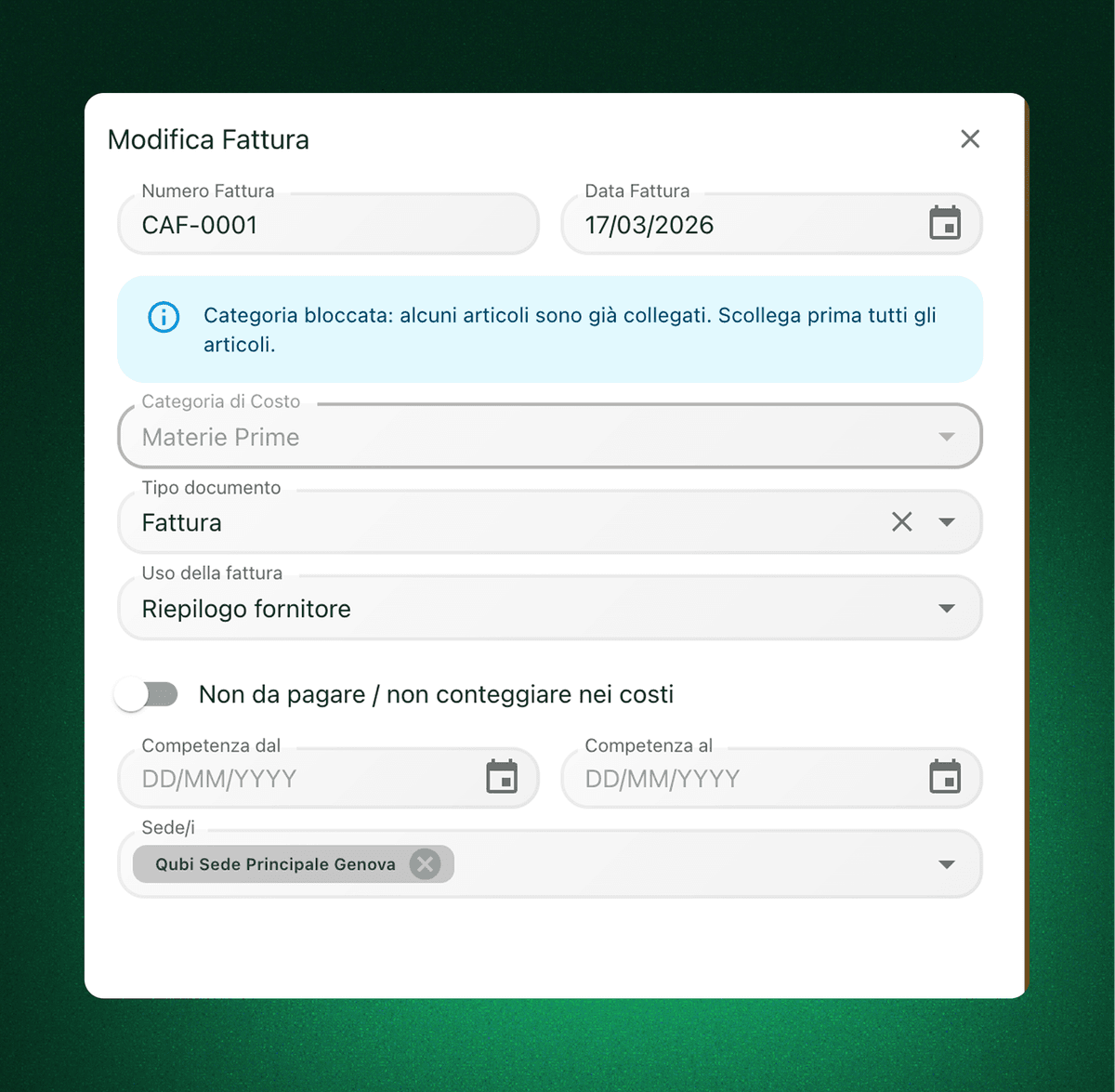
An increase never lives in a single step of the process. This view joins purchasing, price comparison and procurement data, so you can tell whether the problem comes from one vendor, one specific line or a broader market move.
See which increases are really hurting the business
Not every rise carries the same weight. Qubi shows which items are pushing hardest on food cost, menu and profitability, so you can negotiate, switch vendor or rethink what you buy before the problem spreads.
Price increase tracking FAQ
Practical answers on how to use Qubi to catch increases and unexpected price differences.
Do I only get price history, or unusual increases as well?
Both. You can read the full history of an item and quickly see when the price you were charged moves away from your previous purchases or from what you expected to pay.
Can I compare ordered, received and invoiced prices?
Yes. That is the whole point of the view: it puts the order, the delivery and the history side by side, so increases cannot hide inside three different documents.
Is it useful if I buy the same item from several vendors?
Yes. Qubi helps you see who is pushing prices up, who is holding steady and which lines are worth renegotiating or moving first.
How does this affect my food cost?
Directly. If you catch an increase early, you can change vendor, adjust what you buy or revise your selling prices before the margin on a dish quietly erodes.