
A shopping list built from your dishes and menus
Qubi turns what you plan to cook into a working purchasing flow. Choose the site, set the portions, use the stock you already hold and add to the cart only what is really missing.
What you can do with the shopping list
Start from one dish or a whole menu
Requirements can come from a single preparation or from a complete menu with several dishes you need to put on the pass.
Choose the number of portions
Set how many portions you plan to produce and Qubi recalculates the quantities you need for that exact volume.
Use the stock you already hold
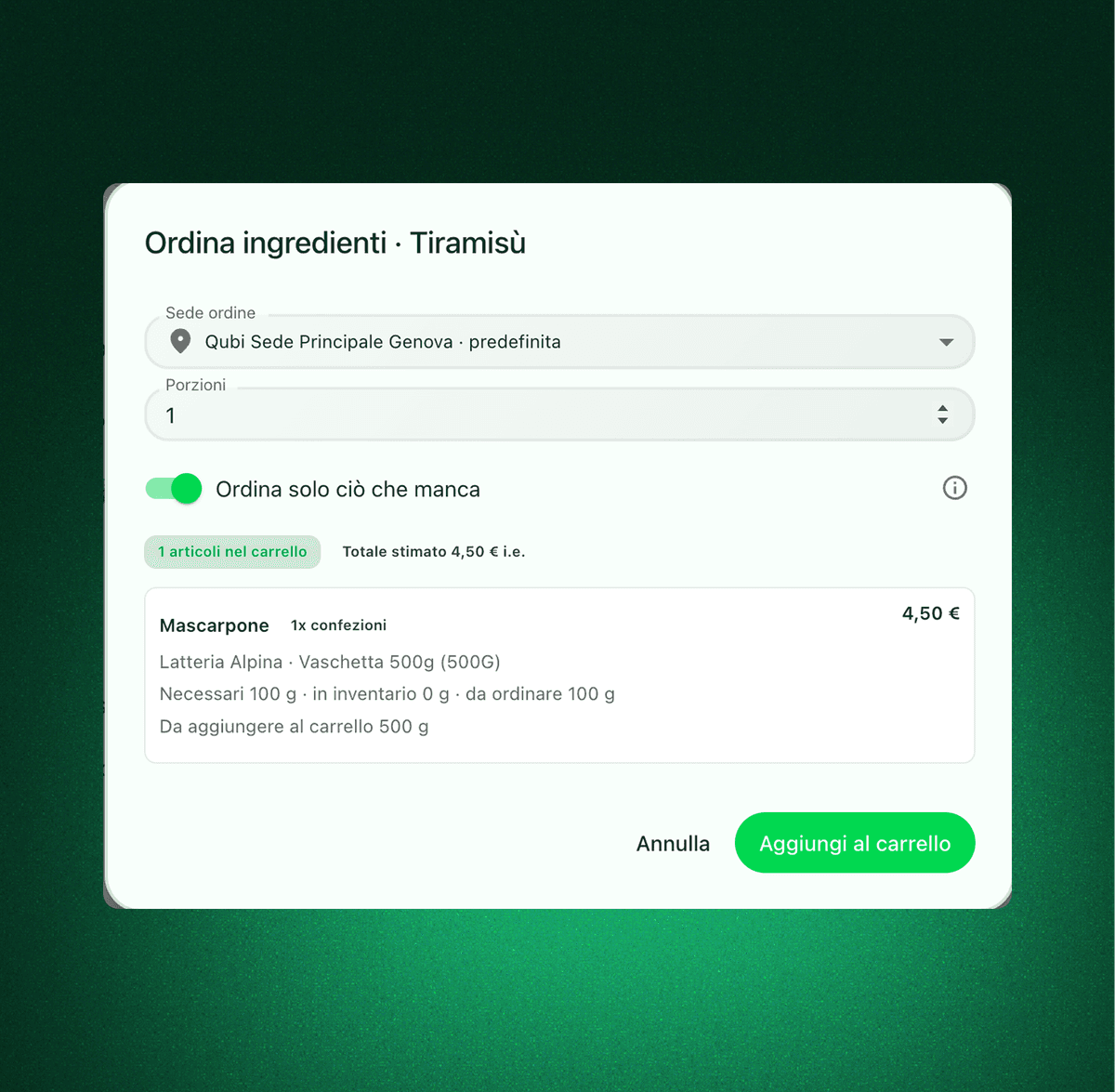
Subtract what is already sitting in your store room and buy only what is genuinely missing from the shelves.
Needed, available and to order
Requirements are translated into working quantities and, where it matters, into pack sizes you can actually purchase.
Pick the site you are buying for
The flow takes into account which location the purchase belongs to, which helps multi-site groups and distributed teams.
Send everything to the cart
Move straight from the list to the purchasing cart, with no second calculation and nothing copied across by hand.
From one dish to the cart, with portions and stock under control
When you need to produce a dish in a given volume, Qubi turns that need into a concrete list. Set the portions, decide whether to draw on available stock, and see exactly what has to be bought.
A full menu becomes a requirement you can buy against
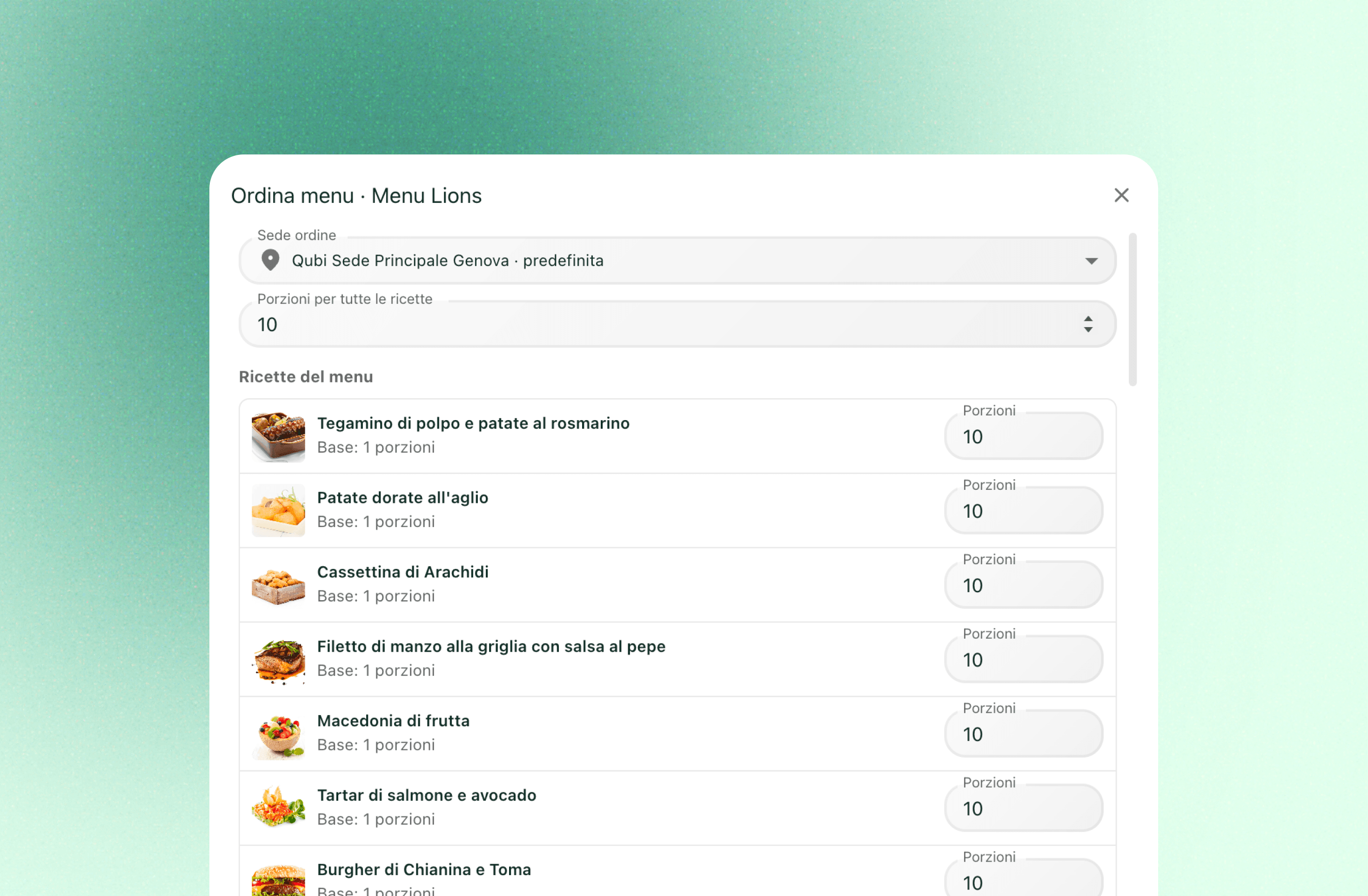
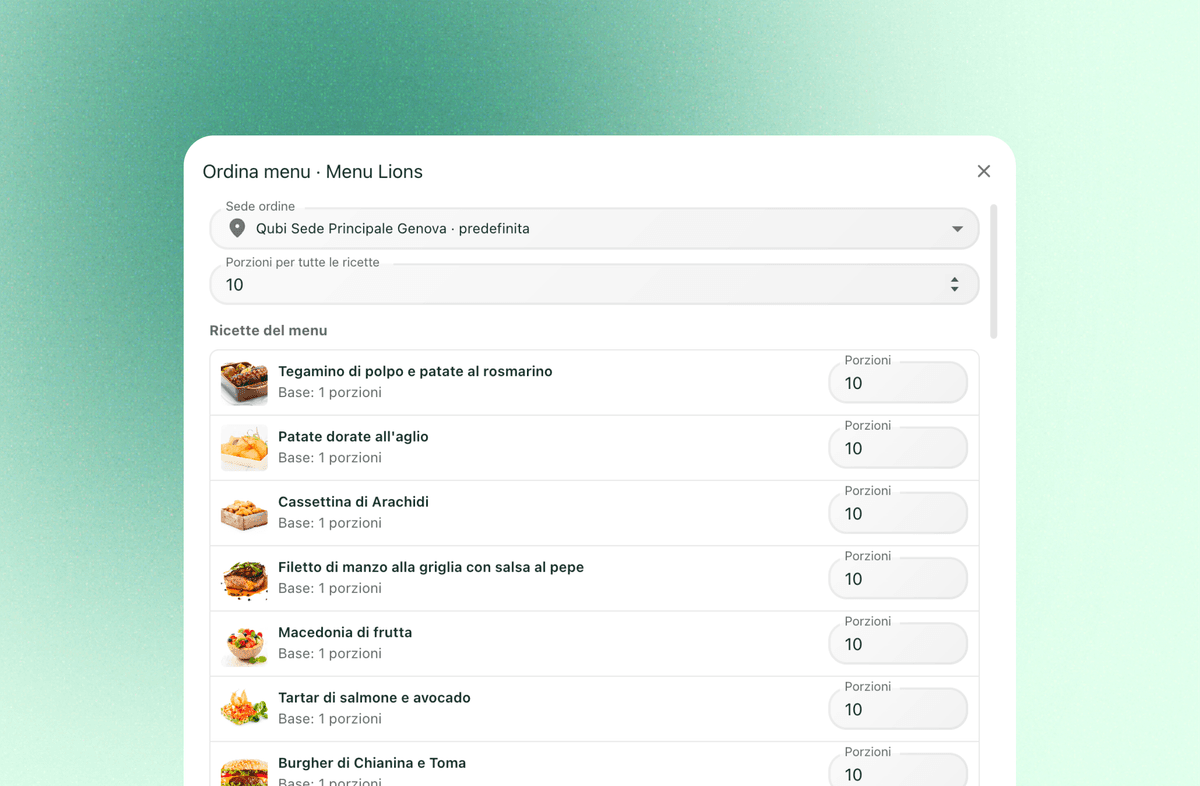
The value grows when the starting point is a whole menu. Every dish keeps its own portions, Qubi aggregates the requirement across all of them, and the cart you end up with is much closer to what the kitchen actually needs.
No duplicate orders, no shelves full of things you had already
A shopping list is more than a list of items. It is a filter between what you need, what you already hold and what you genuinely have to buy. That cuts redundant purchases and makes the step from planning to ordering far more reliable.
Shopping list FAQ
Practical answers on turning dishes and menus into a purchasing flow your team can actually use.
Can I build the list from a single dish and from a menu?
Yes. Qubi supports both flows: start from one preparation or from a full menu, and turn what you need to produce into a purchasing cart.
Can I decide how many portions to buy for?
Yes. Set the portions and the requirement is recalculated for the volume you want to produce or serve, down to each component.
Does it take my current stock into account?
Yes. You can choose to consume what you already hold first and order only what is genuinely missing, which avoids duplicate and unnecessary buying.
Does the list really end up in the order cart?
Yes, and that is the point of the flow: you go from an operational need straight to a cart that is ready to be sent to the people you buy from.