
Cloud software for campsites and resorts
A holiday village is several food businesses on one site. Qubi runs the bar, the snack point, the restaurant, the takeaway and the mini market on shared products, with stock, purchasing and margins you can read outlet by outlet.

One site, five services, five different rhythms
Breakfast, a bar that runs all day, a kitchen that peaks twice and a market that sells whatever guests forgot to pack: they share a store room and almost nothing else.
Qubi keeps products, preparations, pack sizes and supplier prices in one place, then lets each outlet work on top of them with its own menu, its own stock and its own figures.
So the answer to where the margin went stops being a guess. You can see the outlet, the category and the week, and act while the season is still running.
What campsites and resorts get out of Qubi
Several outlets, one control room
Pool bar, snack point, restaurant, takeaway and mini market share products and preparations, but each keeps its own stock, sales and margin.
Retail and kitchen in the same stock
A crate of water can be sold at the market or poured at the bar. Both are stock movements, so the count at the end of the week still adds up.
Built for a short, intense season
Openings, seasonal staff and changing suppliers make routines fragile. Simple mobile tasks keep counts, waste and checks going through the busiest weeks.
A margin for every service, from the pool bar to dinner
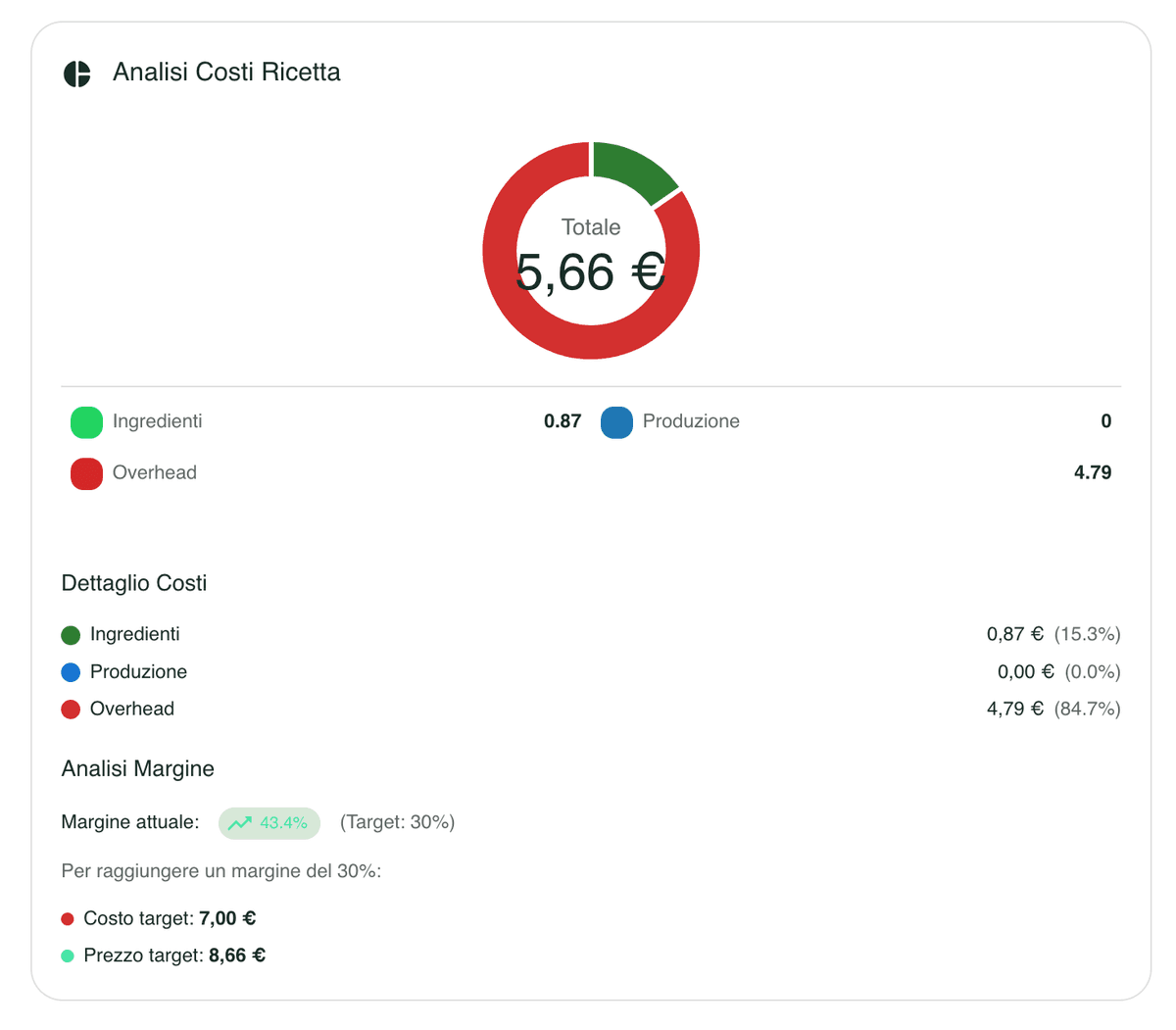
Direct costs, yields, portions and operating costs give a full cost for each dish and each drink. Half board packages, buffets and snack menus can then be priced on evidence, rather than on the assumption that volume will make up the difference.
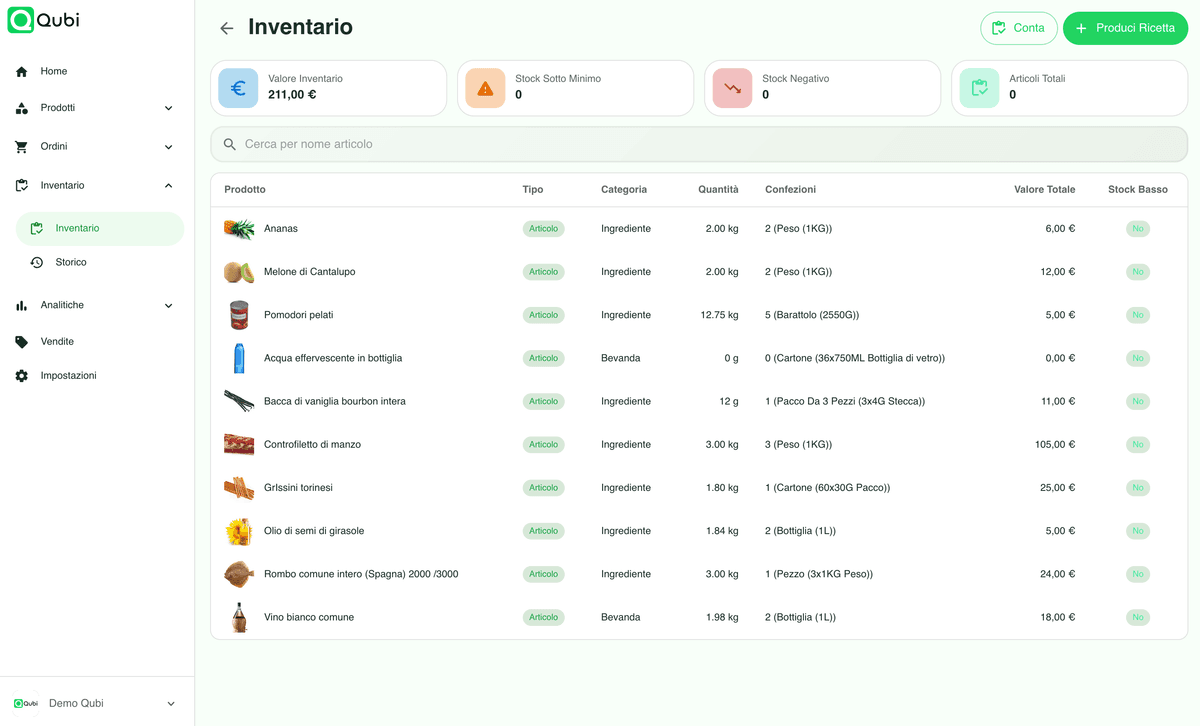
Store rooms, bars and market shelves counted apart
Track stock value, movements and waste by storage area and period. Counts run on a phone, so the central store, the bar fridges and the market can be counted by different people on a changeover day without printed sheets or a shared spreadsheet.
One cart for the whole site, deliveries where they belong
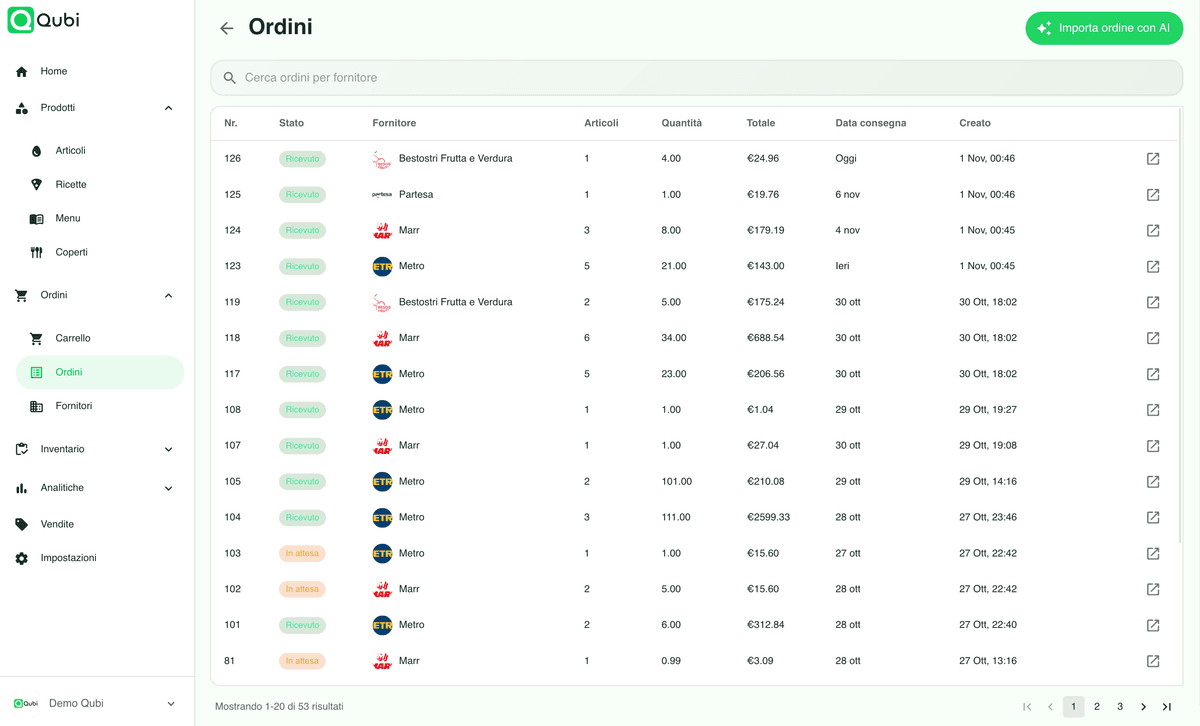
Compare suppliers on price per kilo or litre, build carts that cover kitchen, bar and market together and send orders with the right delivery details. In peak season this is the difference between a tidy order and three phone calls.
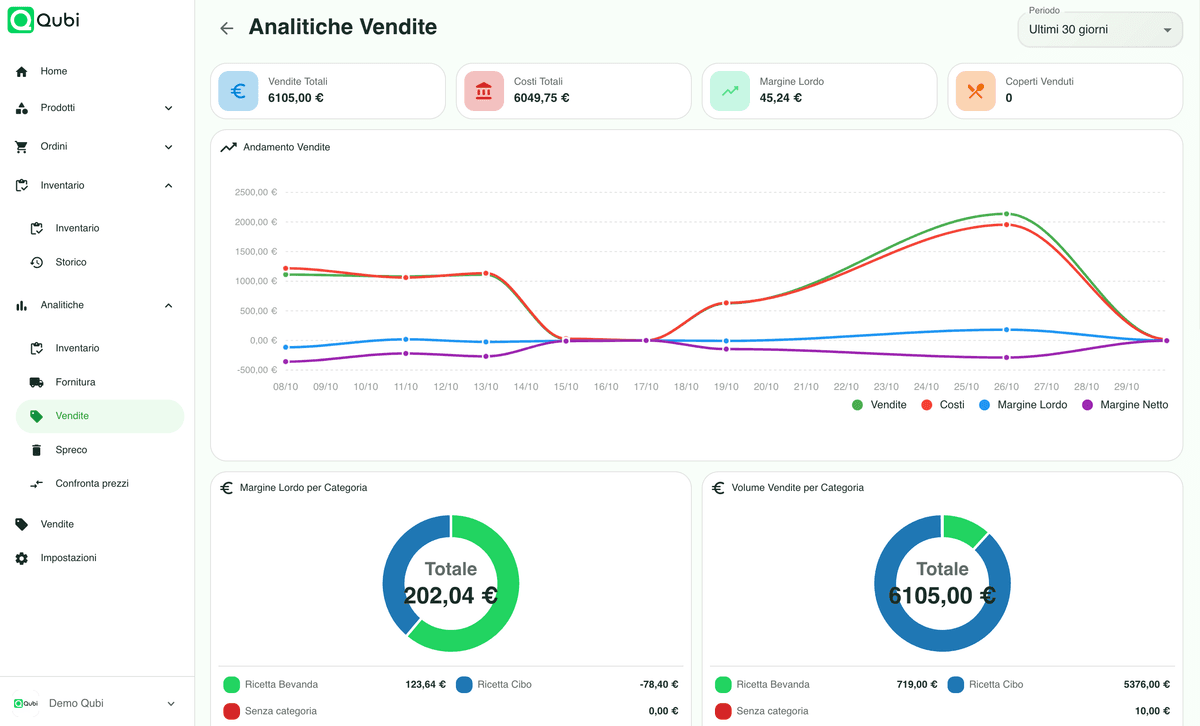
Read the season by outlet, category and time slot
Sales, consumption and margins by period and by service show which parts of the site carry the summer and which quietly absorb cost. Comparing the same week year on year is where most operators find their first easy saving.
Why holiday sites move food service to the cloud
A short season leaves no time to fix things later. Numbers that update daily let you correct a menu or a supplier in July rather than reviewing it in October.
Waste on a large site is spread across bars, kitchens and shelves. Logging it with a reason turns a background loss into something you can target.
Teams change every year. Written preparations, portions and checks keep the standard steady even when most of the staff are new.
Campsite and resort software FAQ
Practical answers about multiple outlets, the mini market, seasonal staff and reporting.
Can I manage several food outlets on one site?
Yes. Each outlet is set up as its own department with its own menu, stock and reporting, while products, preparations and supplier prices stay shared. You get a separate reading per outlet and a consolidated one for the site.
Does it cover the mini market as well as the kitchen?
Yes. Goods you resell can live in the same catalogue as the ones you cook with, so a case of drinks that moves from the store room to the market shelf or to the bar is tracked either way and shows up in the same stock value.
How does it handle a seasonal opening and closing?
Products, preparations, prices and suppliers stay on file over the winter, so reopening is a matter of counting the store room rather than rebuilding a spreadsheet. Costs are recalculated on current prices when you start again.
Can seasonal staff use it without much training?
Yes. Counts, waste logging, deliveries and temperature checks run from a phone or tablet in a few taps, and roles restrict each person to what they need, which matters when a large part of the team is new every June.
Can I compare services and time slots?
Yes. Sales and margins can be read by outlet, category and period, so you can see how breakfast, the pool bar in the afternoon and dinner service each contribute, instead of judging the whole site on one total.