
Food labels ready for the kitchen and the prep room
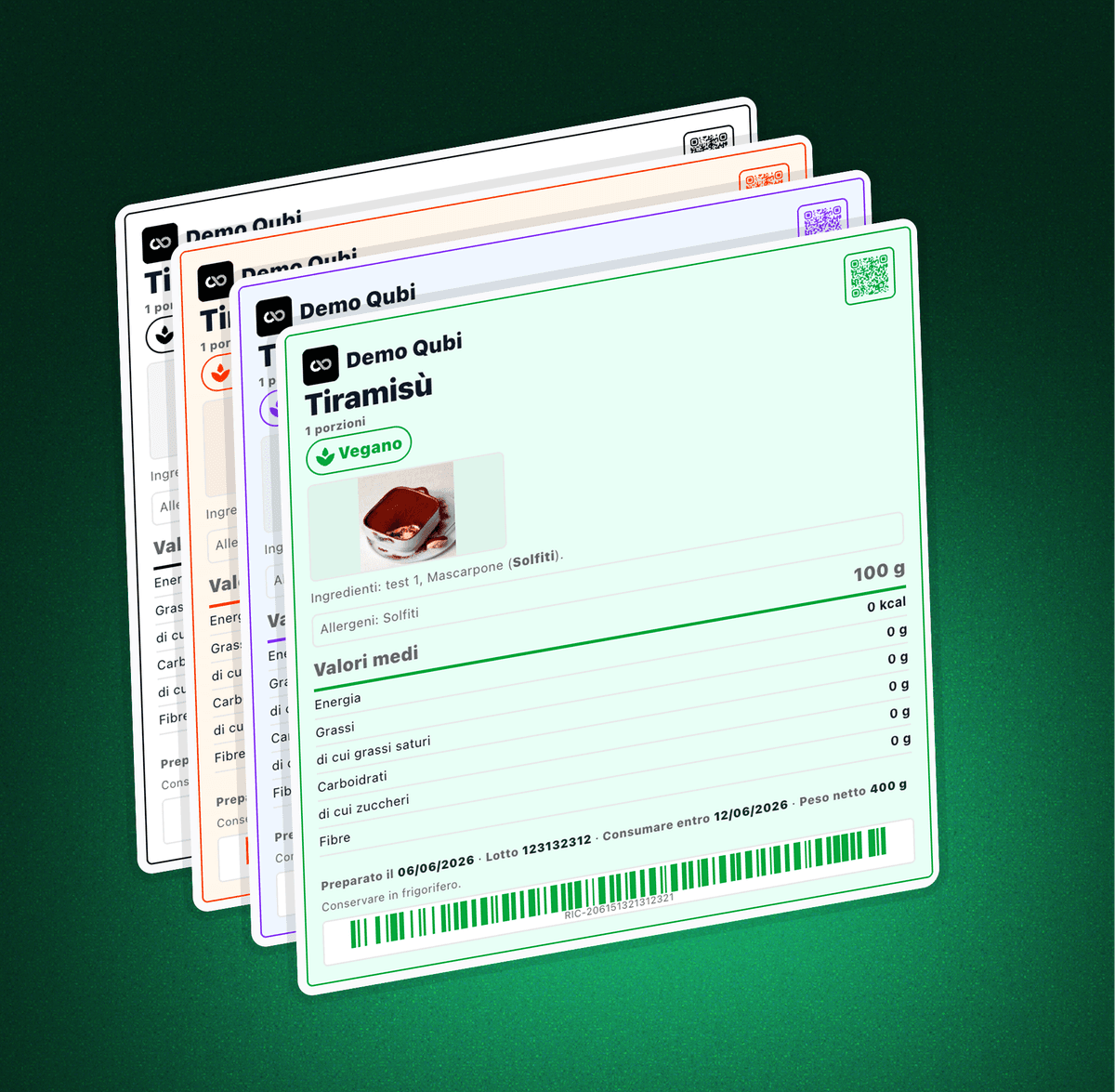
Generate labels for dishes, preparations and semi-finished products from the data already held in Qubi. Customise the format, the colours and the content, then print a PDF with allergen declarations, nutrition values, batch numbers, dates, QR codes and barcodes.
What you can put on a label
Data from the dish itself
Name, photo, portions, components and the key information come straight from what you have already saved in Qubi.
Allergens front and centre
Allergen declarations can be printed directly on the label, so the team sees them during prep and service instead of hunting for a list.
Nutrition information
Add a nutrition table, average quantity and the figures that matter for packed preparations and semi-finished products.
Date marking and batches
Print the preparation date, the use-by date, the batch number and storage instructions in a format anyone can read at a glance.
QR codes and barcodes
Add a scannable reference that connects the physical label back to the digital record of the dish or of the batch.
A PDF ready to print
Generate a PDF in the format you picked and send clearer, more consistent, more professional labels to the printer.
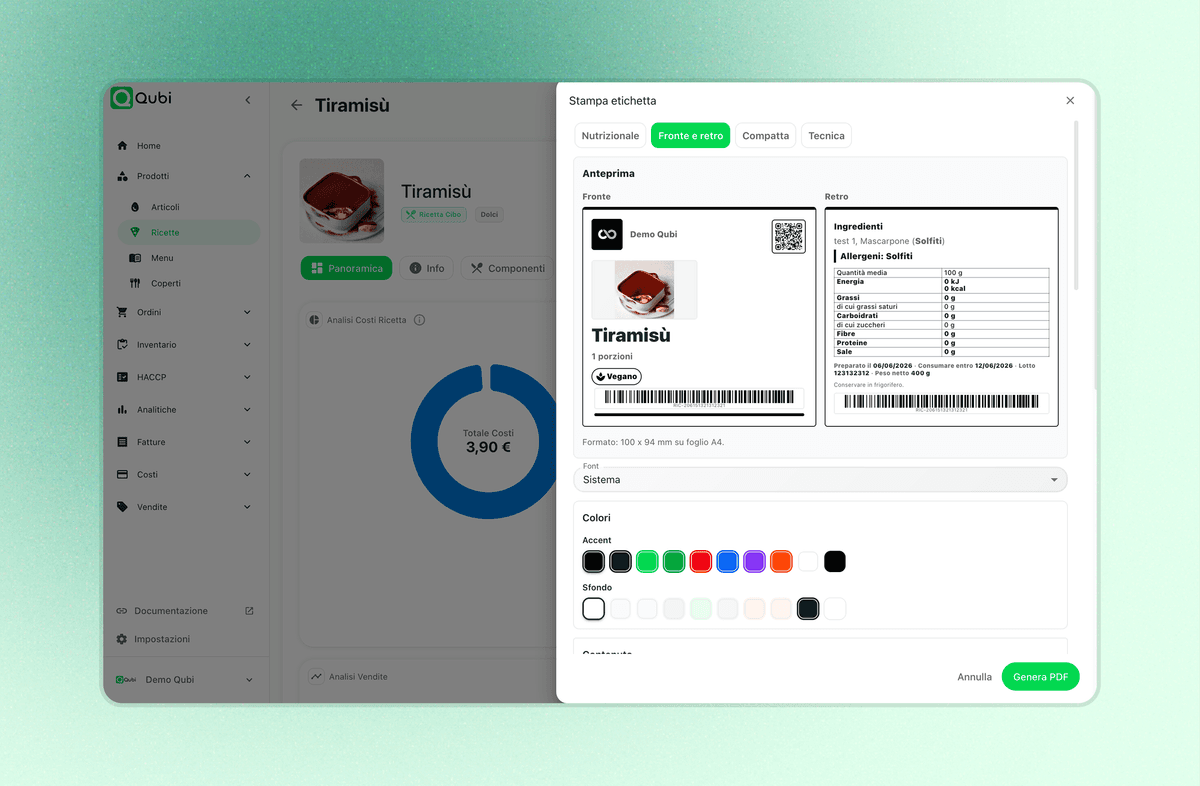
See the label before you generate the PDF
Qubi shows a preview before anything is printed, so you can check the front, the back, the format, the QR code, the barcode, the component list, the allergen declaration and the nutrition table. Nobody has to correct a label after a full roll has gone through the printer.
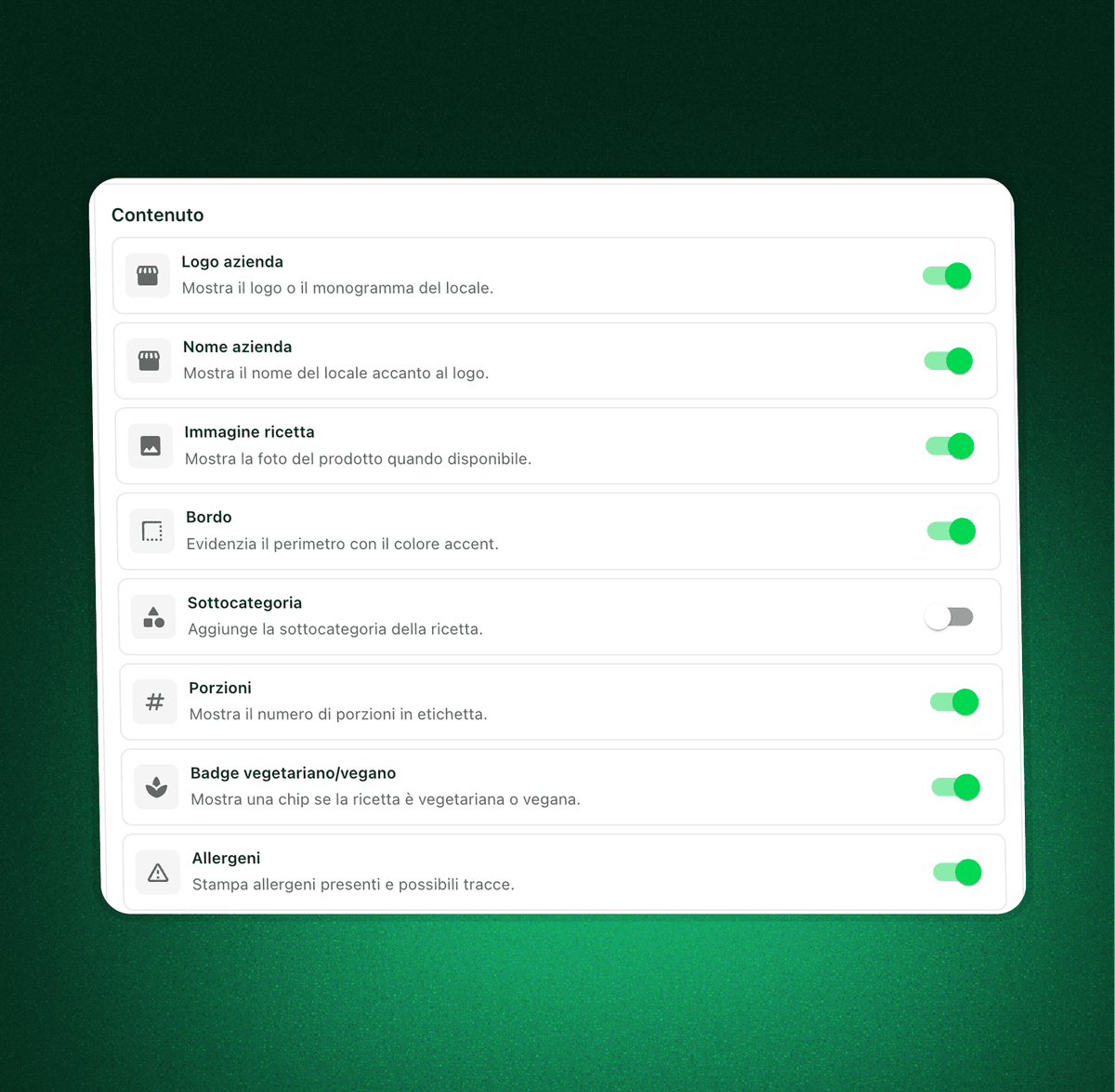
Choose what to show and what to leave off
Every site works differently. You can show your company logo, the venue name, the photo of the dish, a border, the sub-category, the portions, vegetarian or vegan badges and the allergen list, keeping the label consistent with the way you work.
A label connected to dishes, batches and dates
Printing only pays off when the label is not an isolated piece of paper. Qubi connects the dish, its components, the allergen information, the preparation, the batch and the date, so every container in the kitchen is easier to identify and to check.
Built to cut mistakes in daily work
Order in every container
Preparations and semi-finished products stay recognisable even when the shift, the bench or the section changes.
Less double data entry
You reuse the data already held in Qubi instead of copying it onto sheets, files or labels written out by hand.
Labels that look consistent
Colours, borders, content and formats give the whole team one clear visual standard to work with.
Food label printing FAQ
Practical answers on how Qubi makes label printing tidier and easier to trace.
Can I print labels starting from a saved dish?
Yes. Qubi reuses the data already on the dish, such as name, photo, portions, components, allergens and nutrition information, so nothing has to be typed out a second time.
Can labels carry batch numbers and dates?
Yes. You can print operational details such as the preparation date, the use-by date, the batch number, the net weight and storage instructions, which is what daily kitchen work relies on.
Can I customise the label format?
Yes. The feature is built to handle different sizes, content you can show or hide, colours, borders and layouts suited to the kind of label you are printing.
Is it only about looks, or does it help with food safety?
It is mostly about operational order and traceability. Legible labels help the team recognise preparations, allergen information, dates and batches with fewer mistakes, which supports your HACCP routine.