
QR code menu with allergens, calories and 8 languages
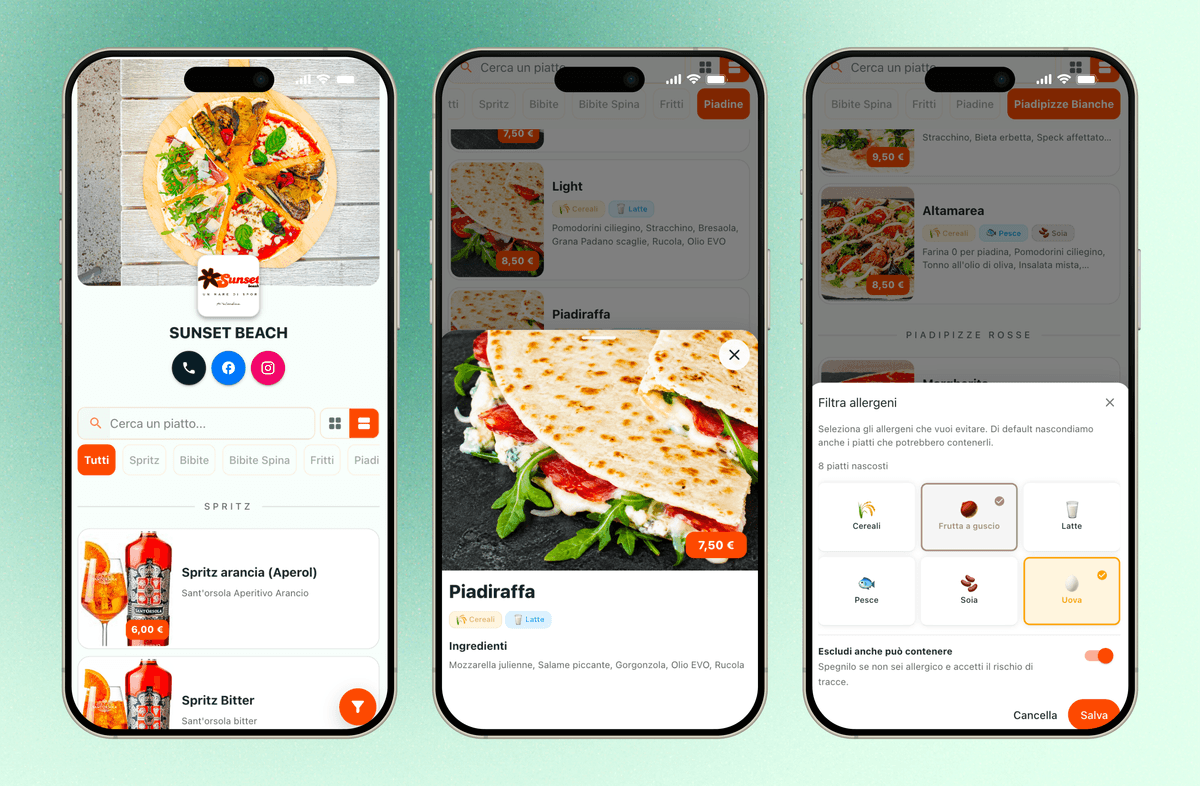
Turn your recipes into a digital menu guests open by scanning a QR code. It reads in eight languages and shows ingredients, allergens and calories from the same data you use for food cost, so nobody does the work twice.
What you can do with the digital menu
Published with a QR code
Guests open the menu on their phone by scanning a code, with no app to install and nothing to print again after every change.
Eight languages
English, Italian, French, German, Spanish, Portuguese, Chinese and Japanese, chosen by the guest, from a single menu you maintain once.
Allergens, calories and nutrition
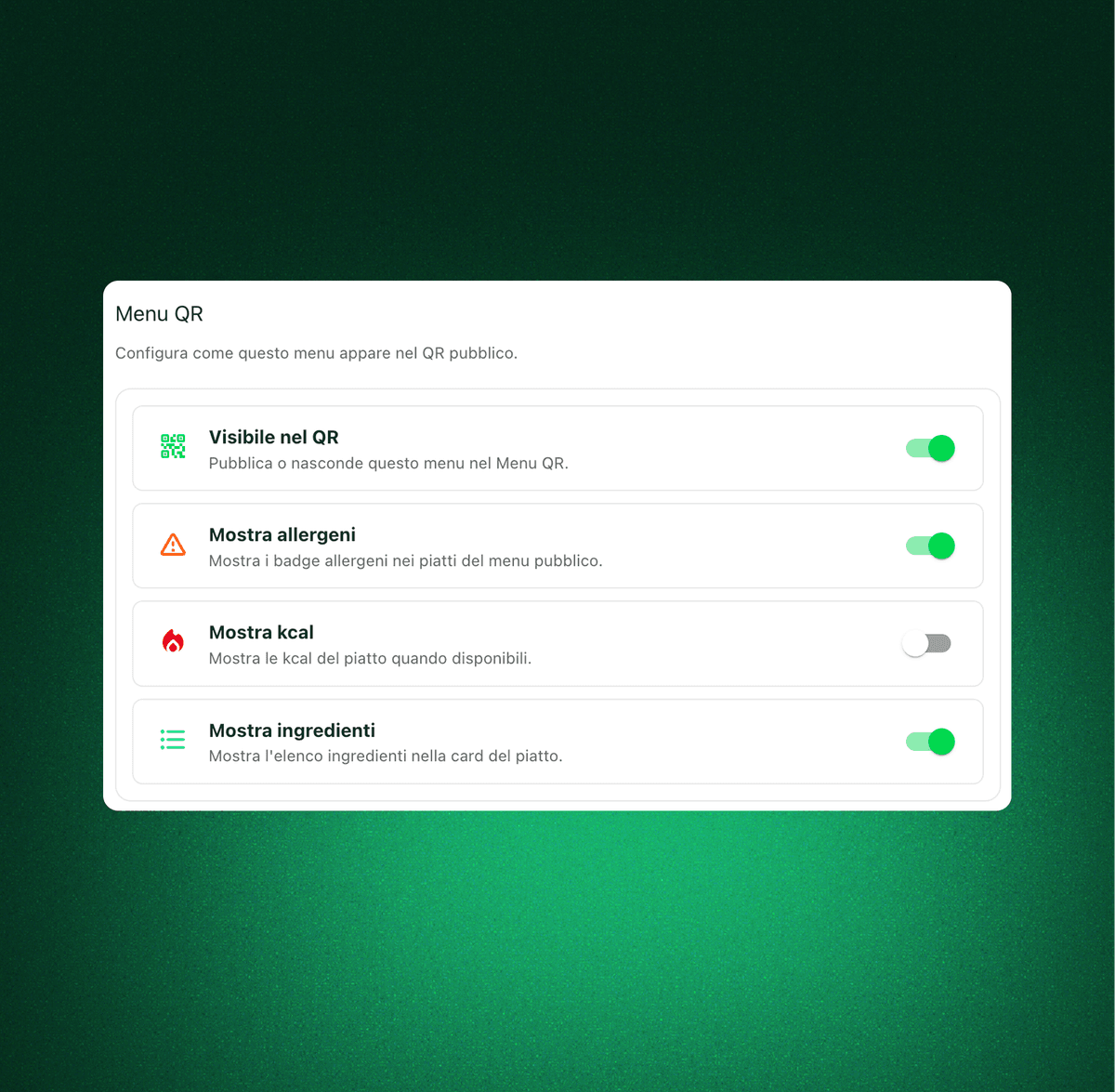
The menu reuses the allergen and nutrition data already held on your recipes, so what guests read matches what the kitchen serves.
A menu international guests can read without asking
Guests scan the code and pick their language: English, Italian, French, German, Spanish, Portuguese, Chinese or Japanese. Your staff answer fewer repetitive questions at the table and you still maintain only one menu.
Decide exactly what the guest gets to see
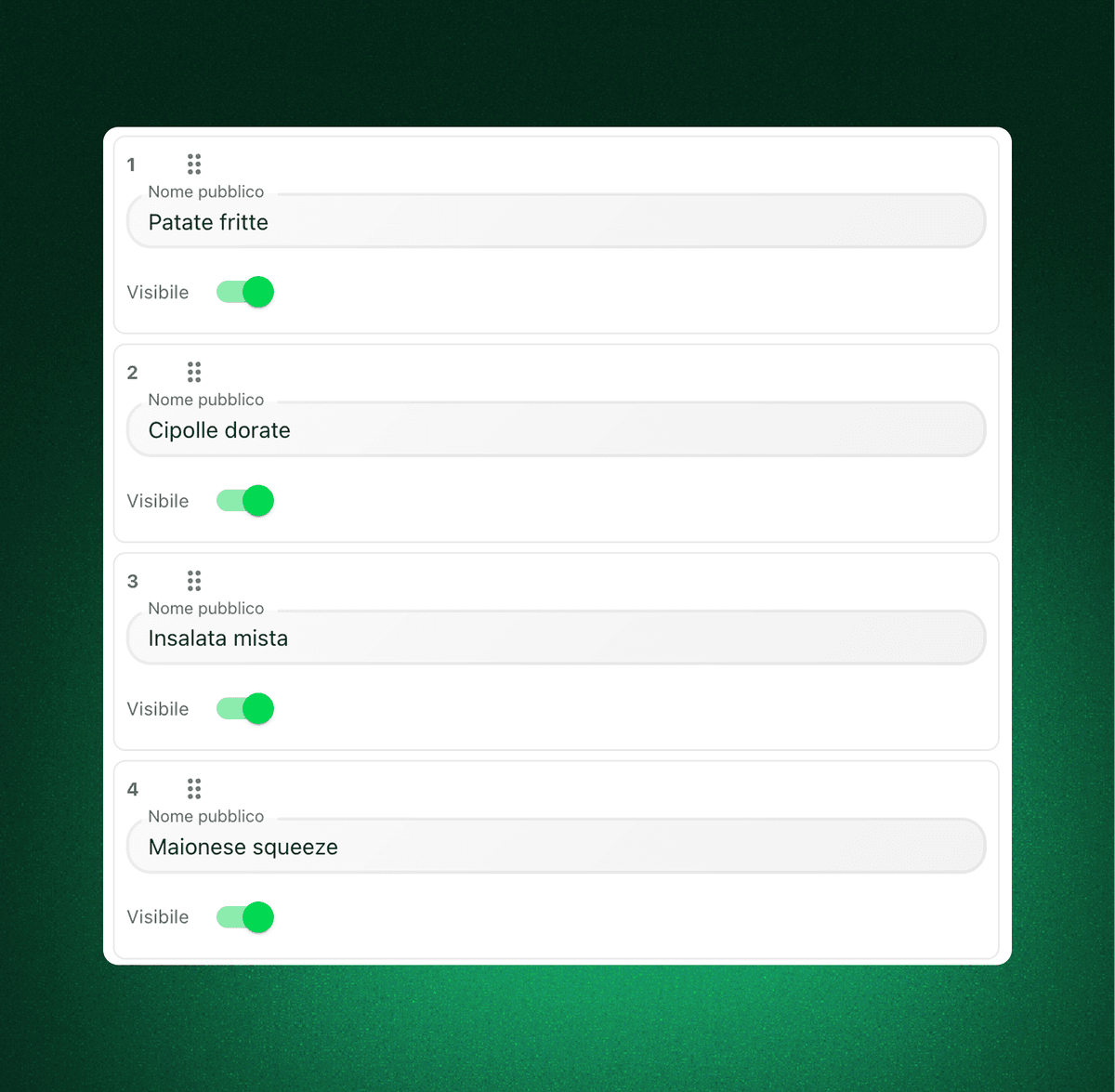
Not everything you track internally belongs on a menu. Qubi lets you mark which ingredients are public for each item, keeping the guest view clear while the internal recipe sheet stays as detailed as you need.
Allergens, calories and nutrition taken from the recipes
The digital menu reuses the ingredient, allergen and nutrition data already held in Qubi. You publish calories and allergen warnings that match the kitchen, with far less manual work and far fewer inconsistencies.
QR code menu FAQ
Practical answers about allergens, public ingredients, languages and branding.
Does the menu really show allergens and calories automatically?
Yes. Qubi links each menu item to the recipe behind it and reuses the ingredient, allergen and nutrition data you already maintain, so the information is published without anyone entering it a second time.
Can I choose which ingredients guests can see?
Yes. For every item you decide which ingredients are public. The internal recipe sheet stays as detailed as your kitchen needs it, while the guest sees a clean, readable version of the dish.
Can the menu match my brand?
Yes. You can set the public name, the theme and the visual presentation of the menu so the experience feels like part of your venue rather than a generic template.
Do I have to maintain a separate menu and recipe book?
No, and that is the point. The QR code menu runs on the same data as your recipes, ingredients and allergens, so you update once and avoid the mismatches that come from keeping two versions alive.