
Supplier ordering software for cleaner, cheaper purchasing
Build one cart across all your suppliers, let Qubi pick the best price and pack size, and send orders only within the windows each supplier accepts. Deliveries are then checked in and booked straight into stock.
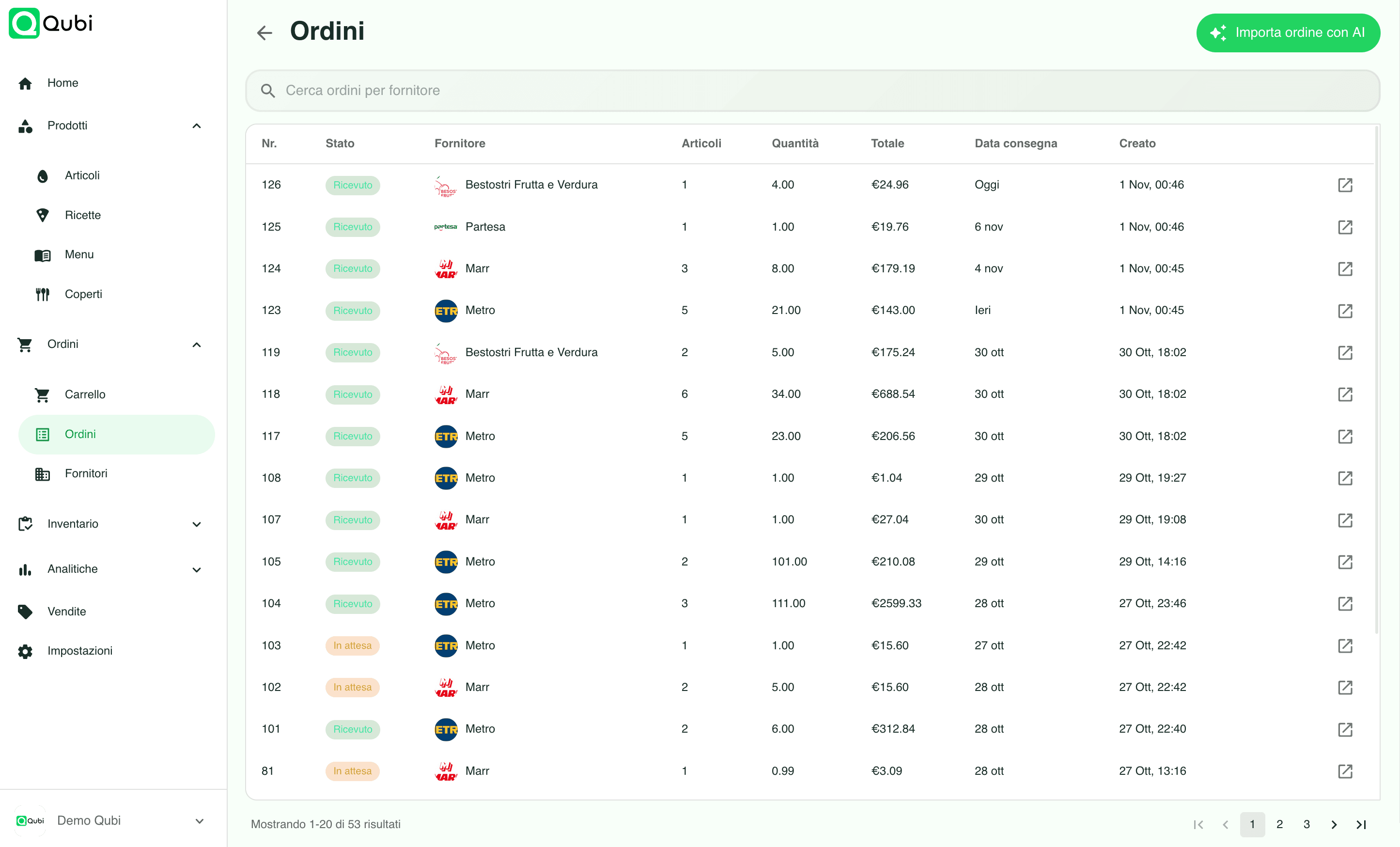
What you can do with supplier orders
Multi-supplier cart
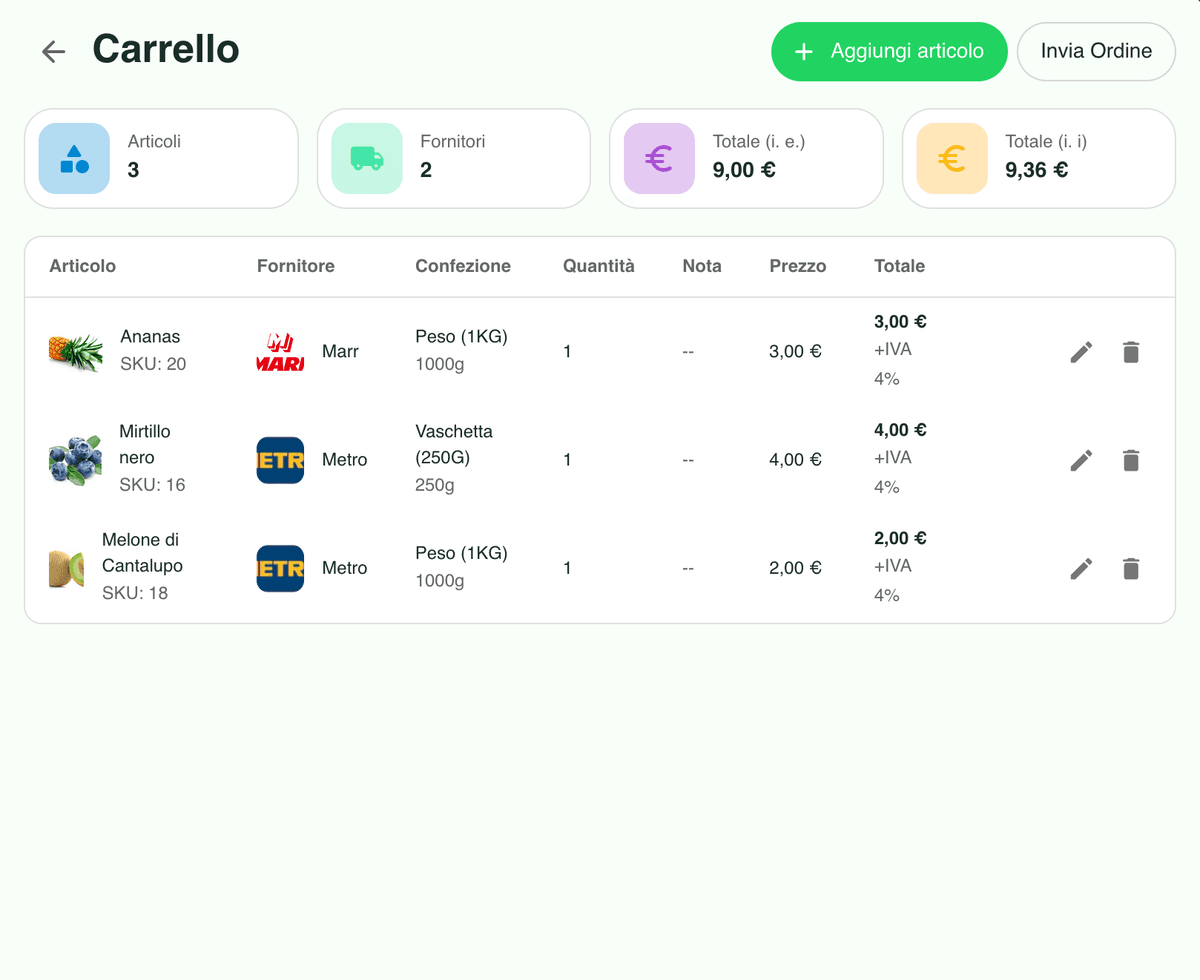
Buy from several suppliers in a single cart, with subtotals per supplier, VAT and a clear total before you confirm anything.
Best price picked for you
Add an item and Qubi compares suppliers and pack sizes to propose the cheapest option available in the period.
AI import from PDF and photos
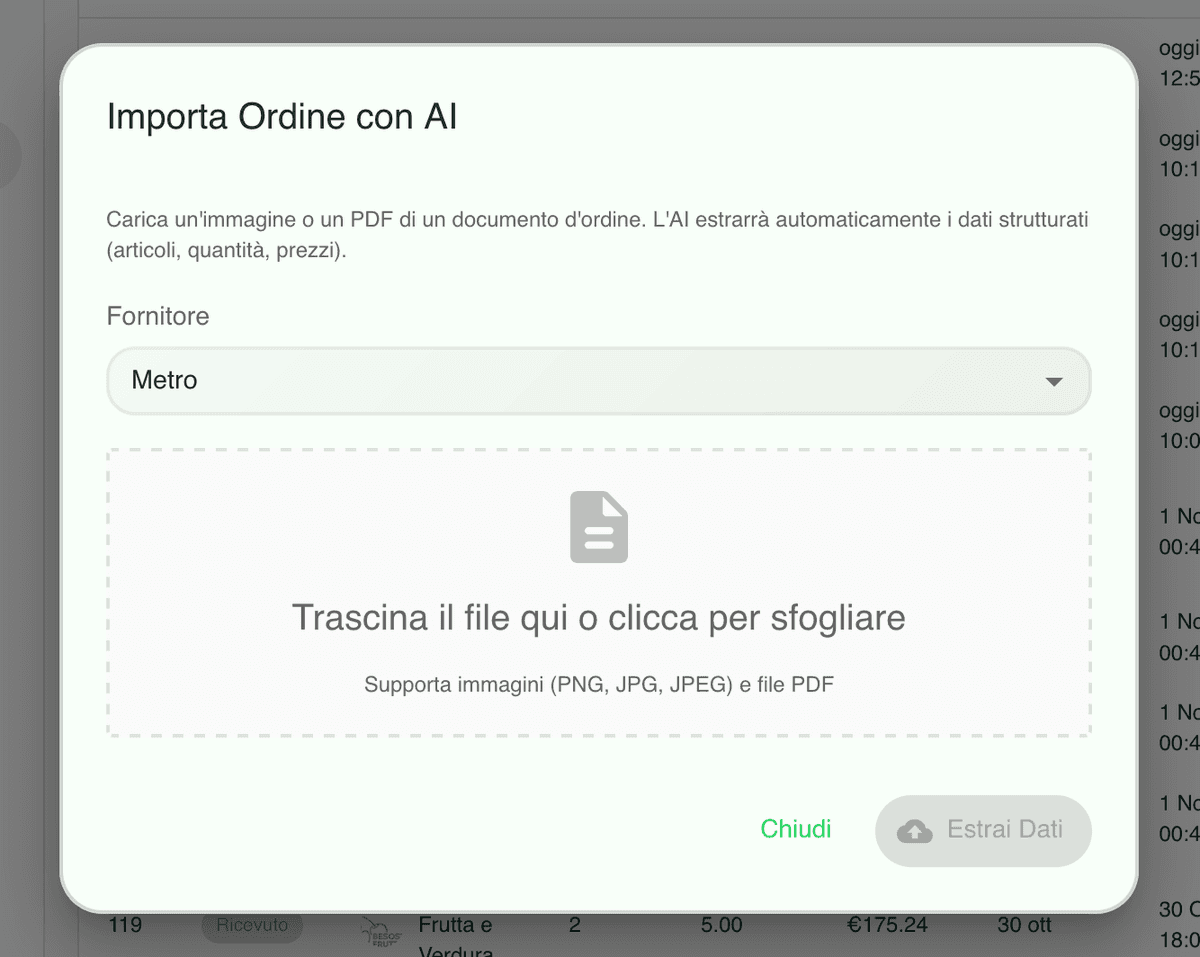
Upload a PDF or snap a photo of an order and AI extracts products, quantities, prices and pack sizes, matching them to your catalogue.
One cart, every supplier, a summary you can check
Add what the kitchen needs and Qubi organises it by supplier, showing subtotals, VAT, totals and the detail of each line. Quantities and pack sizes stay editable right up to the moment you confirm.

The cheapest supplier and pack size, chosen automatically
Every time you add an item Qubi compares prices and conditions across suppliers and pack sizes and proposes the most convenient option for the period, so you stop paying more for the same product out of habit.
Turn a PDF or a photo of an order into catalogue lines
Upload the document or take a picture and AI extracts products, quantities, prices and pack sizes, matches them to your items and handles the ones that are missing. Data entry time and typing mistakes both drop sharply.
Supplier ordering FAQ
Practical answers about multi-supplier carts, best price, delivery windows and AI import.
Can one cart cover several suppliers?
Yes. You build a single cart and Qubi splits it into one order per supplier, showing subtotals per supplier, VAT and the overall total, together with a clear summary of every line before you send.
How does the automatic best price work?
When you add a product, Qubi looks at your price history and current supplier conditions and proposes the best price available in the period, choosing the supplier and the pack size that cost you least per unit.
Can I stop orders going out on the wrong day?
Yes. Each supplier has its own order and delivery windows, and Qubi filters the dates and times you can choose. You add the delivery date, the time and any notes, and the order can only be sent when the supplier accepts it.
How does AI order import from PDF and photos work?
Upload the PDF or take a photo of a supplier document and AI reads products, quantities, prices and pack sizes, matches them against your catalogue and helps you create anything that is missing, so you are not typing lines by hand.