
Restaurant inventory software for stock you can actually trust
Track stock in real time, receive deliveries against the order you placed and keep batches and expiry dates under control. Counts turn into waste records automatically, so you can see what you are losing and why.
What you can do with inventory
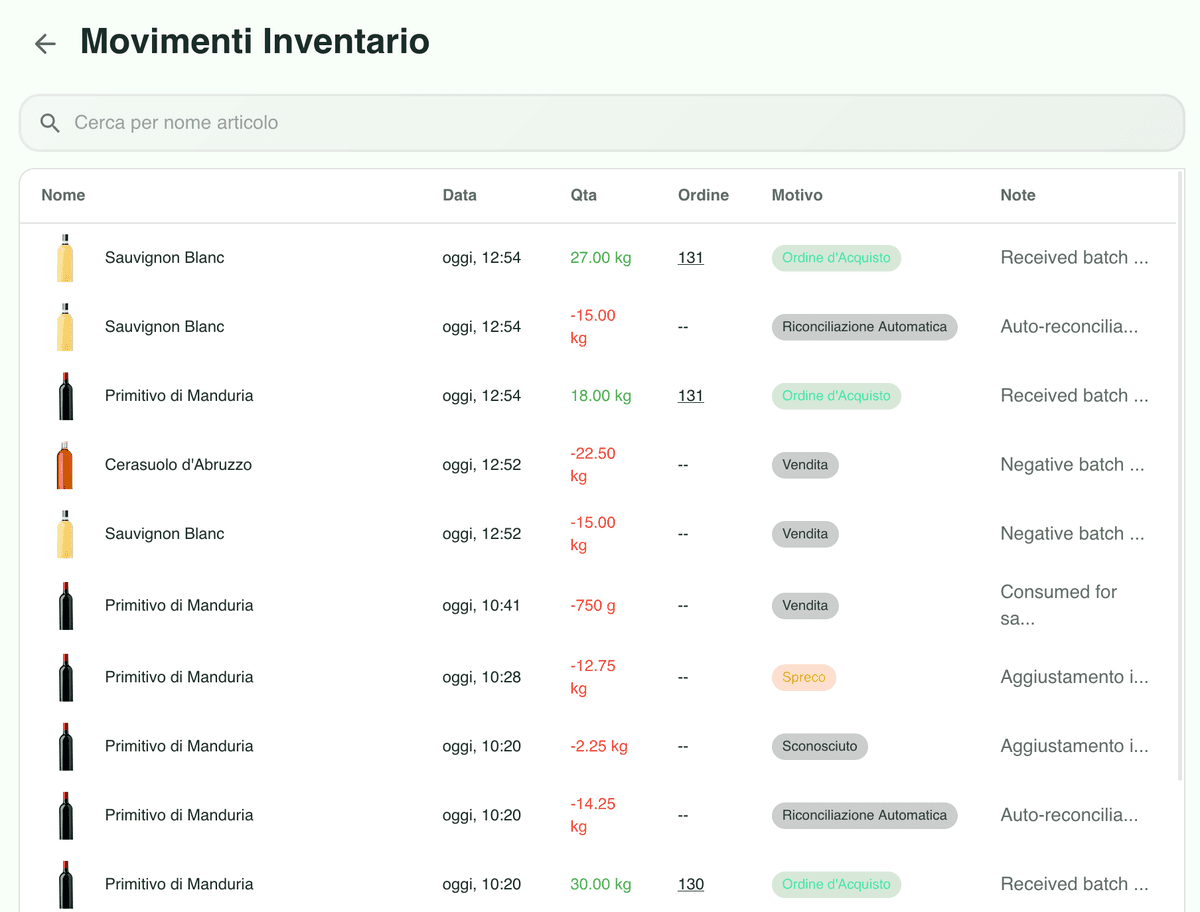
One movement log for everything
Sales, production runs, recipe usage and manual adjustments all land in a single log you can filter by item, date and movement type.
Goods-in straight from orders
Receive stock from the order you placed, flagging missing lines, different quantities and changed prices as you check the delivery in.
Batches and expiry dates
See every batch of an item with its quantity and expiry date, so you can work FIFO or FEFO and keep traceability intact.
Every movement of every item in one place
Sales, production, recipe usage, manual goods-in and goods-out sit in a single log with filters by date, type and item. When a number looks wrong, you can trace it back to the movement that caused it instead of guessing.
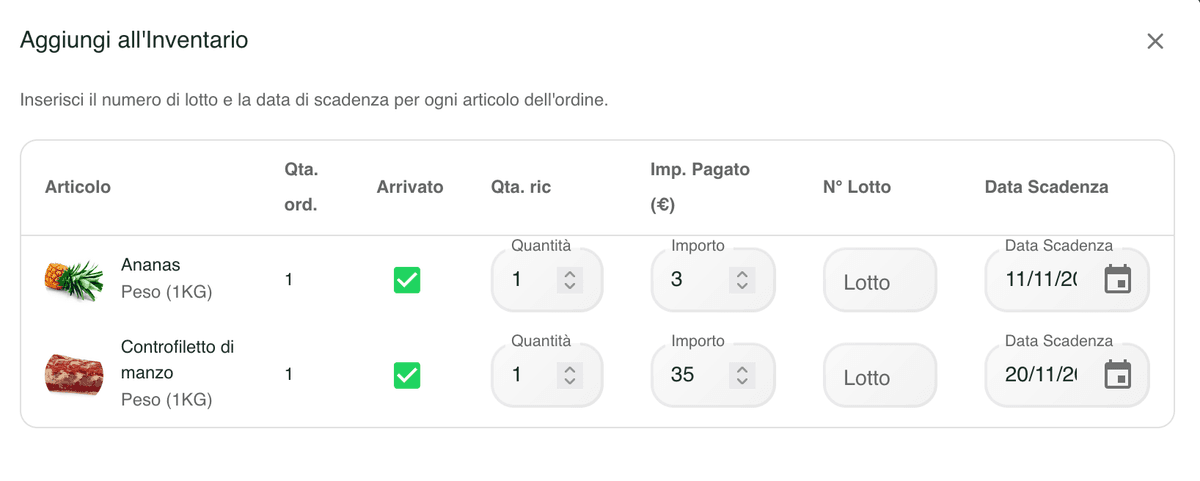
Book deliveries in against the order you placed
Receive stock straight from the order: mark items that never arrived, correct quantities and record the price you were actually charged. Qubi creates the movements and keeps purchasing and stock aligned.
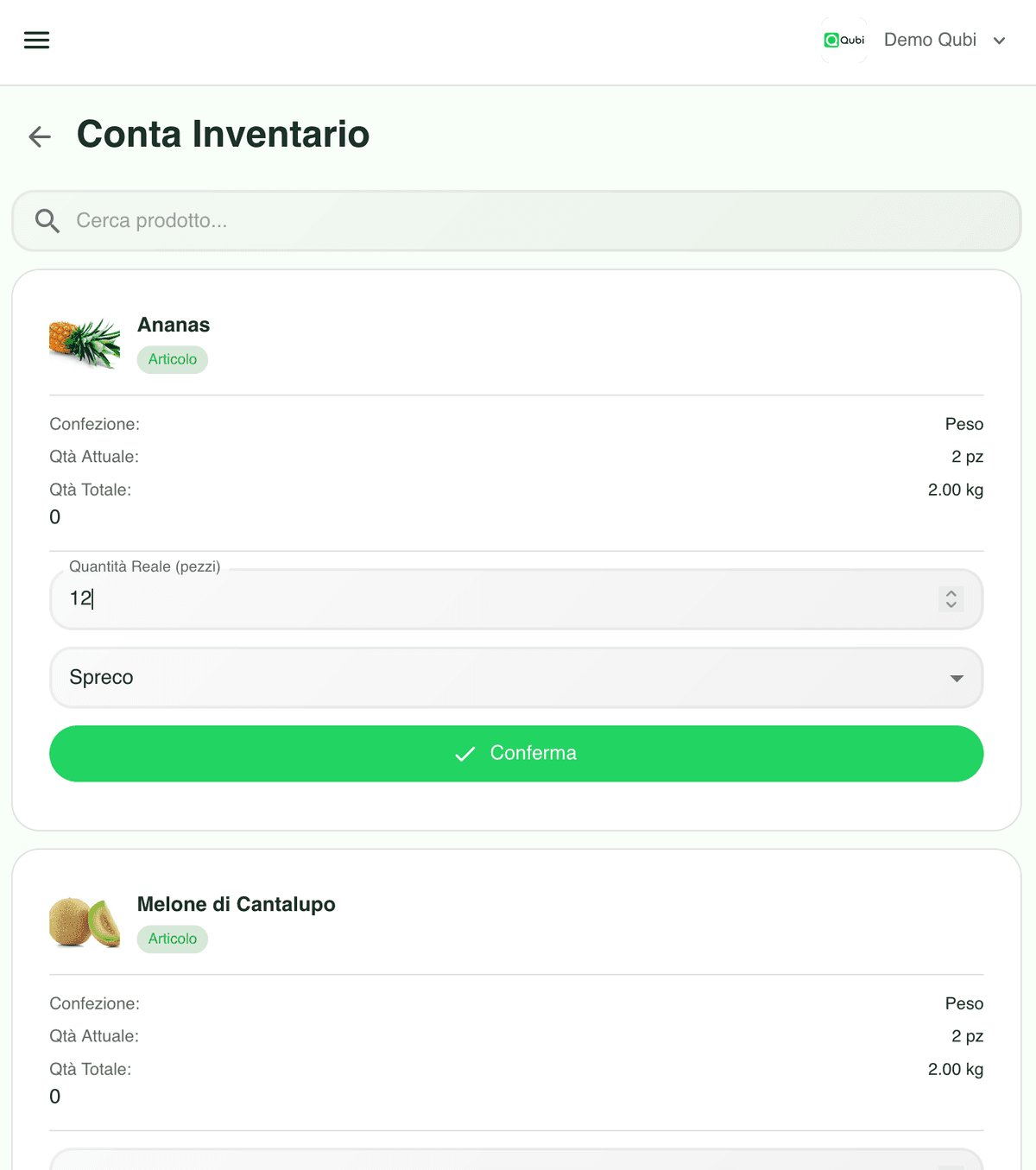
Stock counts that show you the cost of what went missing
Count the shelves, confirm the real quantities and Qubi calculates the difference, generates the waste movements and puts a value on them. You see immediately which items are bleeding margin and can act before the next order.
Inventory software FAQ
Practical answers about movements, goods-in, batches, expiry dates and stock counts.
How are stock movements recorded?
Every event creates a movement: sales depleting stock, production runs, recipe usage and manual goods-in or goods-out. They all appear in one log with filters by item, date and type, so you can reconstruct the history of any product.
Can I receive goods directly from an order?
Yes. From the order you can book items into stock, entering the quantity actually delivered and the real price, and flagging anything that never arrived. Qubi creates the goods-in movements and keeps the audit trail.
How do batches and expiry dates work?
Each item can hold several batches, each with its own quantity, origin and expiry date. That lets you apply FIFO or FEFO, get warned before something expires and stay traceable for quality checks.
Does a stock count generate waste records automatically?
Yes. When you confirm the quantities you counted, Qubi works out the difference against theoretical stock, creates the waste movements and shows you the value of what was lost, so you can act on it.